
At the end of the last lesson, I promised we would cover query parameters next. So here we are. If path parameters were the dynamic parts baked into the URL, query parameters are the optional knobs we attach at the end.
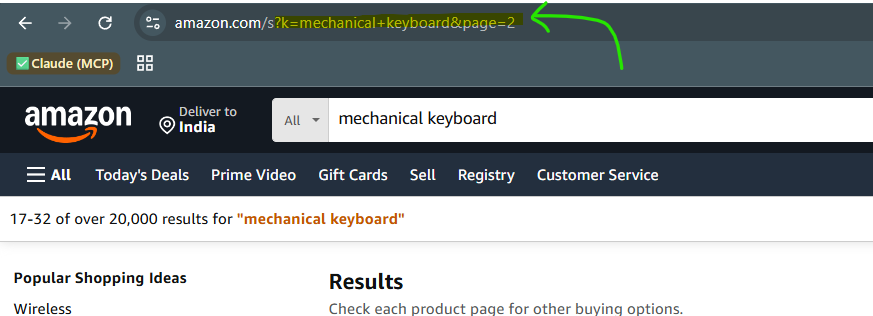
You have seen them a thousand times. Open any shopping site and look at the URL. Something like /products?page=2&sort=price. Everything after that ? is a query parameter. They come as key=value pairs, joined by &.
The neat part in FastAPI? Any function argument that is not part of the path is automatically treated as a query parameter.
from fastapi import FastAPIapp = FastAPI()@app.get("/blog")async def read_blogs(skip: int = 0, limit: int = 10): return {"skip": skip, "limit": limit}Let's review this:
The path is just
/blog. There are no curly braces, so nothing here is a path parameter.skipandlimitare not in the path, so FastAPI reads them as query parameters.We gave them default values (
0and10). This makes them optional.
Hit http://127.0.0.1:8000/blog and you get {"skip": 0, "limit": 10}. FastAPI quietly filled in the defaults.
Now hit http://127.0.0.1:8000/blog?skip=20&limit=5 and you get {"skip": 20, "limit": 5}. We overrode the defaults right from the URL.
And just like with path parameters, the type hints are doing real work here. Try /blog?skip=abc and FastAPI hands back a clean validation error, because abc is not a valid integer.
Optional vs required
The default value is the switch that decides everything.
If a parameter has a default, it is optional. If it has no default, it becomes required. Let's make limit optional but force the user to always pass a search term.
from fastapi import FastAPIapp = FastAPI()@app.get("/blog")async def search_blogs(q: str, limit: int = 10): return {"q": q, "limit": limit}Let's review:
qhas no default value, so it is required. Skip it and FastAPI complains thatqis missing.limitstill has a default, so it stays optional.
Now hit /blog with nothing and you get an error. Hit /blog?q=fastapi and it works, with limit falling back to 10.
Truly optional values
Sometimes a query parameter is genuinely optional, meaning the user can skip it entirely and we are fine with getting nothing. Remember Optional from the type hints and Pydantic articles? It shows up here too.
from typing import Optionalfrom fastapi import FastAPIapp = FastAPI()@app.get("/blog")async def read_blogs(category: Optional[str] = None): if category: return {"message": f"Showing blogs in {category}"} return {"message": "Showing all blogs"}Here category defaults to None. If the user passes ?category=python, we use it. If not, we show everything. Clean and predictable.
Adding validations with Query
Just like Path let us add rules to path parameters, FastAPI gives us Query for query parameters. Say we want the search term q to be at least 3 characters long, so people cannot search for a single random letter.
from typing import Annotatedfrom fastapi import FastAPI, Queryapp = FastAPI()@app.get("/blog")async def search_blogs( q: Annotated[str, Query(min_length=3, max_length=50, title="Search term")],): return {"q": q}Let's review:
Annotatedattaches the extra info to ourstrtype, the same way we did withPathlast time.min_length=3andmax_length=50set the bounds. Search forhiand FastAPI rejects it.titleis a small description that shows up in our auto-generated docs.
For numbers, the same gt, ge, lt, le rules from the path parameters article work here as well. So Query(gt=0) keeps your limit from going negative.
Gotcha: Query parameters always arrive as strings in the raw URL. FastAPI is the one converting ?limit=10 into the integer 10 for you, based on your type hint. Drop the type hint and you are back to handling raw strings yourself. 😁